Comparison
Moldr vs Onshape: browser CAD, compared
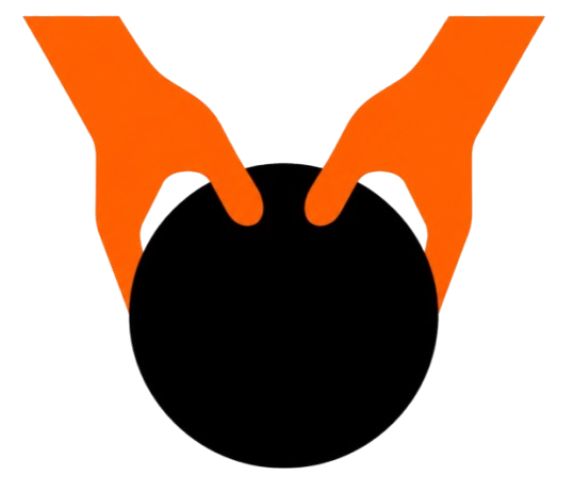
Onshape brought parametric CAD into the browser without an install. Moldr goes a step further: 3D modeling with your hands and voice, no toolbars, no menu diving. Here's how the two workflows compare for rapid iteration on real parts.
The short version
Onshape is a full-featured parametric CAD system built for production engineering teams. Moldr is a browser CAD built around gesture and voice input, tuned for early iteration, concept work, and anyone who finds traditional toolbars slow. Both run in the browser with zero install — the difference is how you drive the model.
Feature comparison
| Moldr | Onshape | |
|---|---|---|
| Primary input | Hand gestures + voice commands | Mouse and keyboard through toolbars |
| Install | None — opens from a URL | None — opens from a URL |
| Learning curve | Minutes; speak the intent | Weeks to months for full toolset |
| Best for | Concepting, rapid iteration, education | Production engineering, assemblies, PDM |
| Sharing | Share a live URL | Share a document link |
| Parametric kernel | Yes — every edit stays editable | Yes — full feature history |
Workflow: gesture and voice vs toolbars
In Onshape, a fillet is a toolbar button, an edge selection, a radius field, and a confirm. In Moldr, you point at the edge and say "fillet three millimeters." The parametric kernel records the same operation — the interface is what changes. For early iteration where you're trying ten variations of a bracket, the gesture-and-voice loop is dramatically shorter than menu navigation.
Onshape wins the moment you need assemblies with hundreds of parts, released revisions, and enterprise PDM. Moldr wins earlier in the process, before the geometry is locked in.
Zero install, everywhere
Both tools run in the browser, which means no license servers, no GPU driver headaches, and no 20 GB installer. Moldr goes a step further by treating the model itself as a URL — send a link and the recipient is designing with you in seconds.
When to pick each
- Pick Moldr for concept design, education, rapid iteration, and anyone whose ideas move faster than their mouse.
- Pick Onshape for production engineering with assemblies, revision control, and enterprise PDM workflows.
- Use both — sketch in Moldr, hand off a STEP to Onshape when the design is frozen.
Try Moldr
Browser-based, hand-and-voice CAD with a parametric kernel that ships as a URL.
Try Moldr for free